Files, CSV, Parquet and object storage
Most data work starts with a file somebody sends you. A CSV export, a Parquet drop in a bucket, a quarterly spreadsheet that arrives by email whether you asked for it or not.
Data Conductor has two ways to deal with that, and they are not interchangeable. Picking the wrong one is the difference between a job that takes thirty seconds and one that quietly does nothing.
Both paths in under two and a half minutes — the upload for a one-off reference table, and SQL straight against files in a bucket. The rest of this post is the reference version of the same ground.
Two jobs that look the same and aren't
| Ingest Files | Storage connector + SQL | |
|---|---|---|
| For | A file, once. Reference data, lookups, mappings. | Files that keep arriving. Pipelines. |
| Size | Up to 50 MB | Whatever your bucket holds |
| Runs | When you click it | On a schedule, or as a pipeline step |
| You write | Nothing | DuckDB SQL |
The 50 MB ceiling on Ingest Files is deliberate. It exists so the limit shows up at the beginning, when switching approach is cheap, rather than at 400 MB when you have already built something around it.
Ingest Files: the one-off path
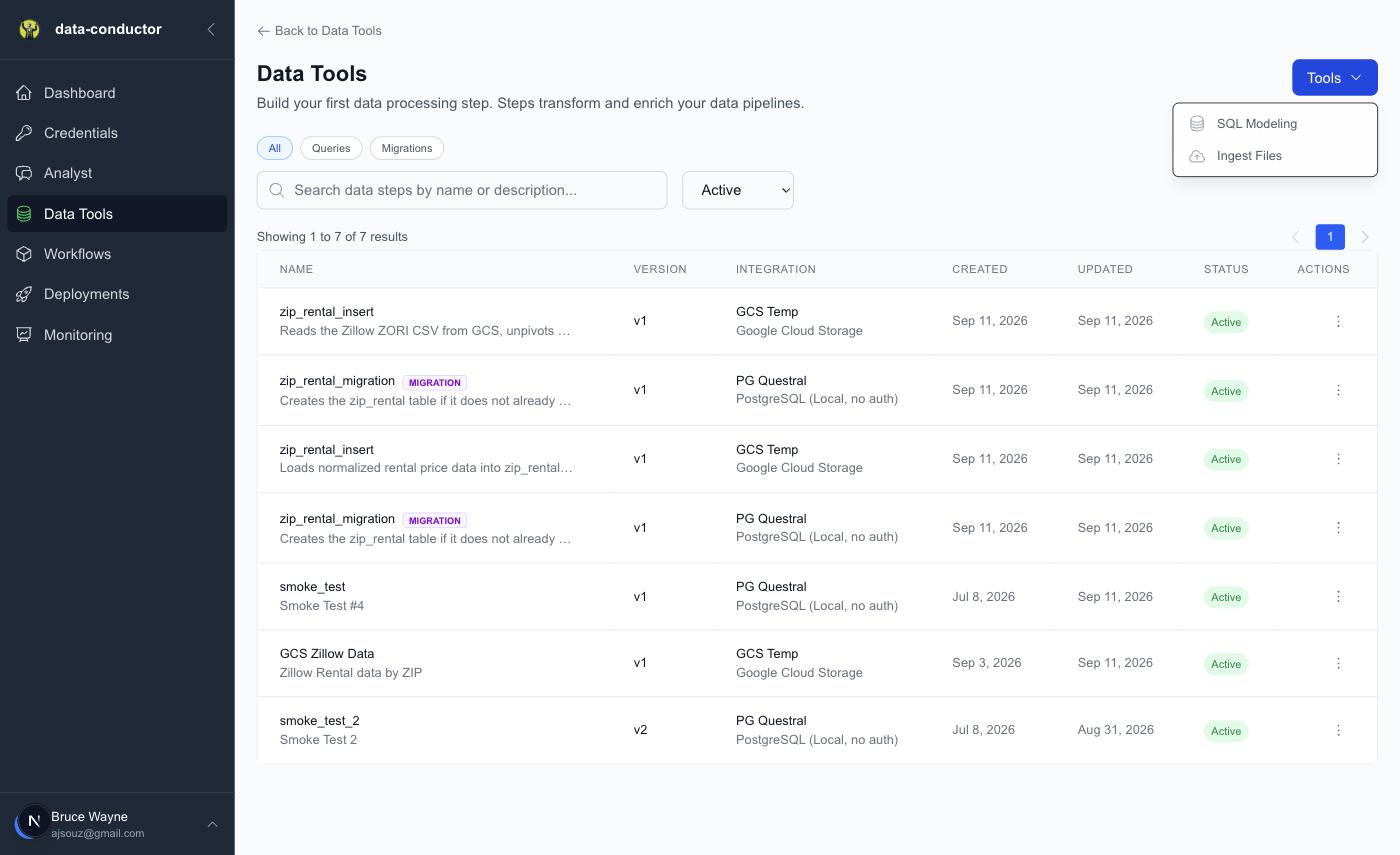
Data Tools → Tools → Ingest Files.
Drop a file in and the dialog walks four steps — upload, read the schema, choose the target, done.
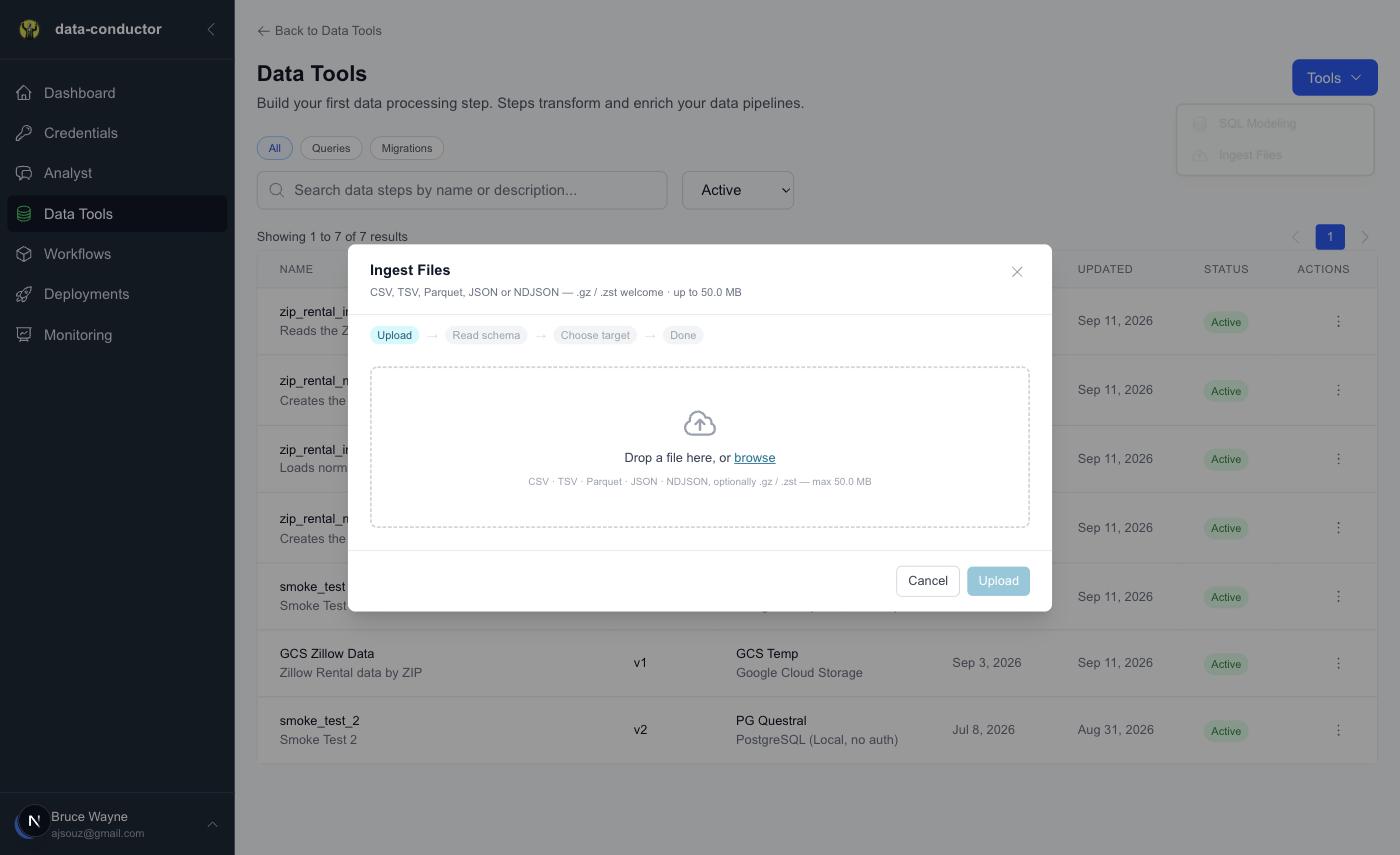
What it accepts
| Format | Extensions |
|---|---|
| CSV / TSV | .csv, .tsv |
| Parquet | .parquet, .pq |
| JSON | .json |
| NDJSON | .ndjson, .jsonl |
Compression is handled for you: .gz and .zst are decompressed
transparently, so sales.csv.gz works exactly like sales.csv.
Two things that are not supported, and it is better to know now than to discover mid-upload:
- ZIP. It is an archive holding many entries, not a single compressed stream. There is no sensible way to guess which entry you meant.
.parquet.gz. Parquet compresses internally already. A gzipped Parquet file is compressed twice and DuckDB will not read it. Compression applies to the text formats — CSV, JSON, NDJSON.- AVRO. Reading it needs a DuckDB community extension rather than the core engine. We reject it at upload with a clear message instead of failing later with a confusing one.
The schema is shown before anything is written
The file is inspected and the inferred columns and types are put in front of
you, with a preview, before a single row lands. Correcting a column that came
back as VARCHAR when it should be DECIMAL is a two-second fix at that
point, and an ALTER TABLE plus a reload afterwards.
You then choose create a new table or append to an existing one.
Object storage + DuckDB: the recurring path
Anything that arrives more than once belongs here instead. You add a storage connector — GCS, S3, Azure, Cloudflare R2, or an S3-compatible endpoint — and then query the files where they sit.
The engine is DuckDB, and that decides your dialect
This is the part that surprises people, so it is worth stating plainly:
When the source of a step is a storage connector, DuckDB parses and runs your SQL — regardless of which database the rows end up in.
So you write DuckDB syntax. UNPIVOT, QUALIFY, COLUMNS(...),
read_csv_auto — all available, all useful, and none of them Postgres. Writing
Postgres-flavoured SQL because your destination is Postgres is the most common
way to get a confusing parse error.
The upside is considerable. DuckDB is very good at exactly this job, and you get its whole vocabulary for free.
Looking around before you commit
Three queries worth knowing before you write a pipeline:
-- What is in the bucket?
SELECT file FROM glob('gs://my-bucket/**/*') ORDER BY file;

-- What does this file look like?
SELECT * FROM read_csv_auto('gs://my-bucket/exports/sales.csv') LIMIT 20;

-- How much of it is there?
SELECT count(*) FROM read_csv_auto('gs://my-bucket/exports/sales.csv');
Use the scheme your connector uses — gs://, s3://, az://, r2://.
Reading many files at once
Globs work in the reader, not just in glob():
-- Every monthly Parquet file as one table
SELECT * FROM read_parquet('s3://my-bucket/sales/2026-*.parquet');

-- CSVs whose columns drifted over time, aligned by name rather than position
SELECT * FROM read_csv('gs://my-bucket/exports/*.csv', union_by_name = true);
union_by_name = true is the one to remember. Files exported months apart tend
to gain and lose columns, and positional matching silently puts the wrong
values in the wrong places. Matching by name fails loudly instead, which is
what you want.
The detail that decides whether rows actually land
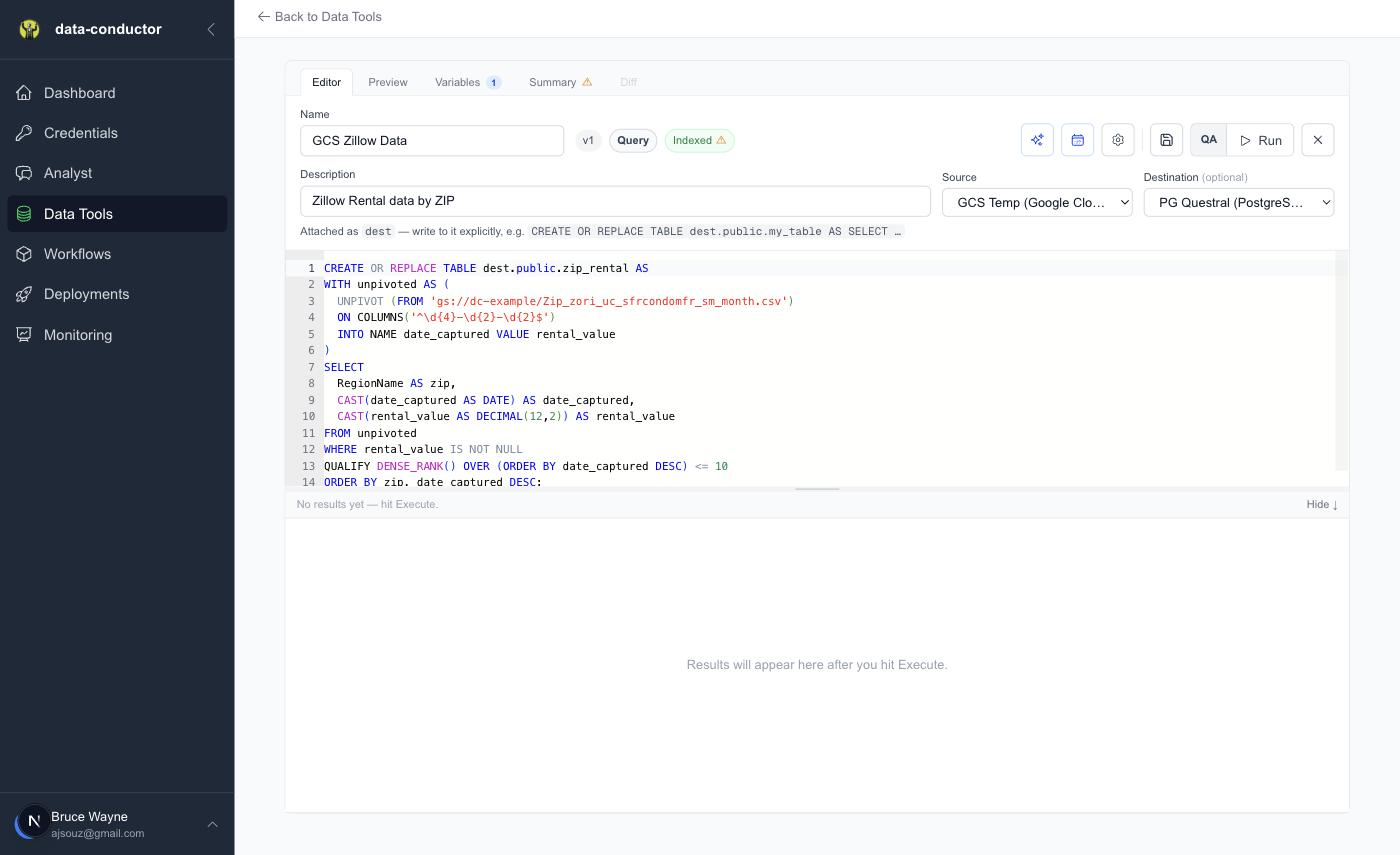
Setting a Destination on the step attaches that database to your DuckDB
session under the alias dest. You can see the editor say so, just above
the SQL:
Attached as
dest— write to it explicitly, e.g.CREATE OR REPLACE TABLE dest.public.my_table AS SELECT …
That prefix is not decoration. It is the write.
-- Lands in your destination database
CREATE OR REPLACE TABLE dest.public.zip_rental AS
SELECT ... FROM read_csv_auto('gs://dc-example/rentals.csv');

-- Appends to a table that already exists there
INSERT INTO dest.public.zip_rental (zip, date_captured, rental_value)
SELECT ... FROM read_csv_auto('gs://dc-example/rentals.csv');
Leave the dest. off and the statement still succeeds. It reports rows. It
writes into DuckDB's own in-process catalog, which is discarded the moment the
step finishes, and nothing reaches your database. A step that looks like it
worked and moved nothing is a genuinely nasty failure mode, and one missing
prefix is all it takes.
CREATE OR REPLACE TABLE dest.… AS SELECT also means you rarely need a
separate "create the table" step — the query defines the table. Reach for an
explicit CREATE TABLE only when the destination needs types or constraints
the SELECT would not produce on its own.
Which databases can be a destination
Destinations have to be a database DuckDB can attach: Postgres (including AlloyDB) and MySQL. BigQuery, Snowflake, Databricks and SQL Server cannot be transfer destinations — they are excellent sources and excellent places to run SQL, but the attach mechanism does not exist for them.
A worked shape
Putting it together, a recurring load from a bucket into Postgres is one step:
CREATE OR REPLACE TABLE dest.public.zip_rental AS
WITH unpivoted AS (
  UNPIVOT (FROM 'gs://dc-example/Zip_zori_uc_sfrcondomfr_sm_month.csv')
  ON COLUMNS('^\d{4}-\d{2}-\d{2}$')
  INTO NAME date_captured VALUE rental_value
)
SELECT
  RegionName AS zip,
  CAST(date_captured AS DATE) AS date_captured,
  CAST(rental_value AS DECIMAL(12,2)) AS rental_value
FROM unpivoted
WHERE rental_value IS NOT NULL
QUALIFY DENSE_RANK() OVER (ORDER BY date_captured DESC) <= 10;
One statement reads a CSV out of cloud storage, pivots ninety-odd monthly columns into rows, casts them, keeps the last ten months, and writes the result into Postgres. No loader, no staging directory, no intermediate file.
Save it, give it a CRON schedule, and it is a pipeline.
Choosing between them
Reach for Ingest Files when the file is small, the load is a one-off, and you would rather not think about SQL. Reference tables, lookups, the spreadsheet that arrives quarterly.
Reach for a storage connector when the data keeps coming, when it is larger than 50 MB, when it is spread across many files, or when it needs shaping on the way in. Which, for anything that deserves the word pipeline, is most of the time.
Things worth knowing
{{ variables }}work in these queries. Bucket names and paths differ between QA and PROD; put them in a variable rather than hardcoding, and the same step runs in both.- Never guess a bucket path. If a path is wrong you get an access error
that looks like a credentials problem. Copy it from the connector or from
glob(). - Check the row count before scheduling.
SELECT count(*)against the source costs almost nothing and catches the "this glob matched one file, not forty" mistake while it is still cheap.